Getting Started
Set up Roostmate and start caring for your flock with confidence.
Get Early Access
Roostmate is currently in development. Sign up to be among the first to try it:
We'll notify you as soon as Roostmate is ready for you and your flock.
Create Your Account
When you first open Roostmate, you'll be guided through creating your account:
- Tap “Get Started” on the welcome screen
- Enter your email address
- Create a secure password
- Verify your email (check your inbox for a confirmation code)
- You're in! Time to set up your flock.
Tip: Use a Real Email
We'll only email you for account recovery and important updates. Your email helps us keep your flock data safe.
Set Up Your Flock
After creating your account, you'll set up your first flock:
- Give your flock a name (e.g., “Backyard Flock”, “The Girls”, “Sunny Coop”)
- Add your location (helps with weather integration and local advice)
- Set your timezone for accurate reminders
You can have multiple flocks if you keep chickens in different locations.
Add Your Birds
Now for the fun part - adding your chickens! For each bird:
Required Information
- Name: What you call this bird
- Type: Hen, rooster, or chick
Optional (But Helpful) Information
- Breed: Helps Beaky give breed-specific advice
- Hatch Date: Even an estimate helps with age-related guidance
- Photo: Makes identification easy and tracks changes over time
- Egg Color: For hens - helps with egg tracking
- Notes: Any special information about this bird
Don't Know Everything?
That's okay! Add what you know now and fill in details later. You can always edit bird profiles from the Flock tab.
First Steps
Once your flock is set up, here are the best things to do first:
1. Say Hi to Beaky
Tap the Beaky tab and introduce yourself! Try asking something like:
- “Hi Beaky! I just set up my flock of 6 Rhode Island Reds.”
- “What should I know about keeping chickens in [your climate]?”
- “Any tips for a first-time chicken keeper?”
2. Log Your First Eggs
Go to the Log tab and record today's egg collection. Even if you don't have eggs yet, familiarize yourself with the interface.
3. Set Up a Recurring Task
Create at least one recurring task to see how reminders work. Common first tasks:
- Daily: Check water
- Daily: Collect eggs
- Weekly: Clean coop
Navigating the App
Roostmate has five main tabs at the bottom of the screen:
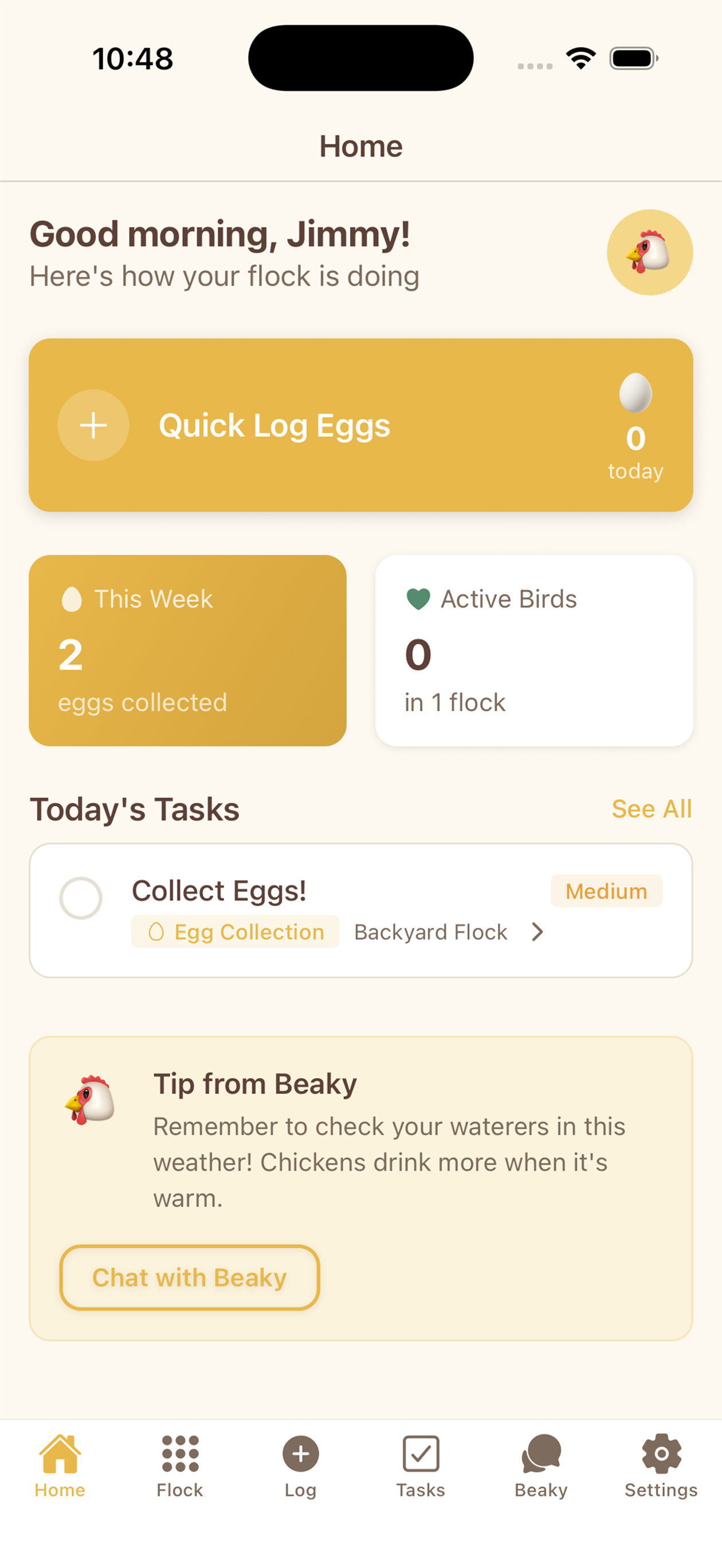
Home
Your dashboard showing flock overview, “Things to Note”, recent activity, and upcoming tasks.
Flock
View and manage your birds. Tap any bird to see their profile, health history, and egg records.
Log
Quick egg logging. Tap the counter, then tap “Log” to save. Add details or assign to specific birds if needed.
Beaky
Chat with your AI companion. Ask questions, get advice, and learn about your flock.
Settings
Manage your account, notification preferences, and app settings.
You're All Set!
Now that you're set up, explore the other guides to learn about specific features. And remember - Beaky is always there to help!